CSS-only Tailwind CSS card with outline, shadow, and flat styles. Compact, default, and large sizes. Card-content, card-title, card-footer slots. WCAG AA, works with Django, HTMX, Laravel, React, and any stack.
Card components are versatile containers for combining related information into a single, visually cohesive unit. Built with semantic HTML and flexible content areas, cards organize content hierarchically and adapt to various layouts. The Frutjam card system offers multiple color variants, sizes, and styles for product showcases, blog posts, testimonials, and dashboard elements.
CSS-only, no JavaScript required. WCAG AA accessible and framework-agnostic — works with Django, HTMX, Laravel, React, and any stack.
| Class | Type | Description |
|---|---|---|
| card | Base | Elevated content container with rounded corners |
| card-outline | Style | Transparent fill with a visible border |
| card-dashed | Style | Dashed border style |
| card-title | Modifier | Heading element inside the card |
| card-content | Modifier | Padded content area of the card |
| card-actions | Modifier | Footer area for buttons and action controls |
| card-xs | Size | Extra small padding |
| card-sm | Size | Small padding |
| card-md | Size | Medium padding (default) |
| card-lg | Size | Large padding |
| card-xl | Size | Extra large padding |
| card-primary | Color | Primary theme color |
| card-secondary | Color | Secondary theme color |
| card-accent | Color | Accent theme color |
| card-neutral | Color | Neutral theme color |
| card-info | Color | Info semantic color |
| card-success | Color | Success semantic color |
| card-warning | Color | Warning semantic color |
| card-error | Color | Error semantic color |
Basic Usage
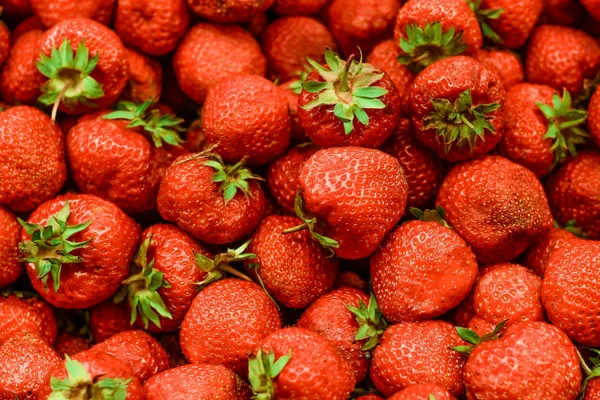
Card Title
The Card component is a versatile container for combining related information into a single, visually appealing unit.
1 2 3 4 5 6 7 8 9 | <div class="card shadow w-88"> <figure> <img src="https://cdn.frutjam.com/images/photo-1.jpg?format=webp&width=600&height=400" alt="Card Image" loading="lazy" /> </figure> <div class="card-content"> <h2 class="card-title">Card Title</h2> <p>The Card component is a versatile container for combining related information into a single, visually appealing unit.</p> </div> </div> |
1 2 3 4 5 6 7 8 9 | <div className="card shadow w-88"> <figure> <img src="https://cdn.frutjam.com/images/photo-1.jpg?format=webp&width=600&height=400" alt="Card Image" loading="lazy" /> </figure> <div className="card-content"> <h2 className="card-title">Card Title</h2> <p>The Card component is a versatile container for combining related information into a single, visually appealing unit.</p> </div> </div> |
Card with Actions
Use card-actions to add a footer area for buttons and action controls.
Card Title
A card with an actions footer for user interactions like buttons and links.
1 2 3 4 5 6 7 8 9 10 | <div class="card card-md shadow w-88"> <div class="card-content"> <h2 class="card-title">Card Title</h2> <p>A card with an actions footer for user interactions like buttons and links.</p> <div class="card-actions"> <button class="btn btn-primary">Accept</button> <button class="btn">Dismiss</button> </div> </div> </div> |
Card Sizes
Choose from five size variants to fit different content densities and use cases.
Extra Small
Compact card for minimal content.
Small
Small card for condensed information.
Medium
Medium card for standard content.
Large
Large card for prominent content display.
Extra Large
Extra large card for expansive content layouts.
1 2 3 4 5 6 7 8 9 10 11 12 13 14 15 16 17 18 19 20 21 22 23 24 25 26 27 28 29 30 31 32 33 34 | <div class="card card-xs card-outline"> <div class="card-content"> <h2 class="card-title">Extra Small</h2> <p>Compact card for minimal content.</p> </div> </div> <div class="card card-sm card-outline"> <div class="card-content"> <h2 class="card-title">Small</h2> <p>Small card for condensed information.</p> </div> </div> <div class="card card-md card-outline"> <div class="card-content"> <h2 class="card-title">Medium</h2> <p>Medium card for standard content.</p> </div> </div> <div class="card card-lg card-outline"> <div class="card-content"> <h2 class="card-title">Large</h2> <p>Large card for prominent content display.</p> </div> </div> <div class="card card-xl card-outline"> <div class="card-content"> <h2 class="card-title">Extra Large</h2> <p>Extra large card for expansive content layouts.</p> </div> </div> |
Card Colors
Apply color variants to cards for visual differentiation and semantic meaning.
Default
Base card color using default theme background.
Primary
Primary color card for featured content.
Secondary
Secondary color card for supporting content.
Accent
Accent color card for emphasis.
Info
Information card for helpful content.
Success
Success card for positive outcomes.
Warning
Warning card for caution messages.
Error
Error card for error notifications.
Neutral
Neutral card for balanced design.
1 2 3 4 5 6 7 8 9 10 11 12 13 14 15 16 17 18 19 20 21 22 23 24 25 26 27 28 29 30 31 32 33 34 35 36 37 38 39 40 41 42 43 44 45 46 47 48 49 50 51 52 53 54 55 56 57 58 59 60 61 62 | <div class="card card-md"> <div class="card-content"> <h2 class="card-title">Default</h2> <p>Base card color using default theme background.</p> </div> </div> <div class="card card-md card-primary"> <div class="card-content"> <h2 class="card-title">Primary</h2> <p>Primary color card for featured content.</p> </div> </div> <div class="card card-md card-secondary"> <div class="card-content"> <h2 class="card-title">Secondary</h2> <p>Secondary color card for supporting content.</p> </div> </div> <div class="card card-md card-accent"> <div class="card-content"> <h2 class="card-title">Accent</h2> <p>Accent color card for emphasis.</p> </div> </div> <div class="card card-md card-info"> <div class="card-content"> <h2 class="card-title">Info</h2> <p>Information card for helpful content.</p> </div> </div> <div class="card card-md card-success"> <div class="card-content"> <h2 class="card-title">Success</h2> <p>Success card for positive outcomes.</p> </div> </div> <div class="card card-md card-warning"> <div class="card-content"> <h2 class="card-title">Warning</h2> <p>Warning card for caution messages.</p> </div> </div> <div class="card card-md card-error"> <div class="card-content"> <h2 class="card-title">Error</h2> <p>Error card for error notifications.</p> </div> </div> <div class="card card-md card-neutral"> <div class="card-content"> <h2 class="card-title">Neutral</h2> <p>Neutral card for balanced design.</p> </div> </div> |
Custom Background and Text Color
Use any Tailwind background and text color utilities directly on the card for full color control.
Custom Colors
Apply any background and text color using Tailwind utilities.
1 2 3 4 5 6 | <div class="card bg-primary text-on-primary w-88"> <div class="card-content"> <h2 class="card-title">Custom Colors</h2> <p>Apply any background and text color using Tailwind utilities.</p> </div> </div> |
Card Styles
Apply different border and styling variants to cards for visual distinction.
Outline Card
Outline Style
Cards with visible borders for subtle separation from background.
Primary Outline
Outline card with primary color border.
1 2 3 4 5 6 7 8 9 10 11 12 13 | <div class="card card-md card-outline"> <div class="card-content"> <h2 class="card-title">Outline Style</h2> <p>Cards with visible borders for subtle separation from background.</p> </div> </div> <div class="card card-md card-outline card-primary"> <div class="card-content"> <h2 class="card-title">Primary Outline</h2> <p>Outline card with primary color border.</p> </div> </div> |
Dashed Card
Dashed Style
Cards with dashed borders for visual interest.
Secondary Dashed
Dashed card with secondary color border.
1 2 3 4 5 6 7 8 9 10 11 12 13 | <div class="card card-md card-dashed"> <div class="card-content"> <h2 class="card-title">Dashed Style</h2> <p>Cards with dashed borders for visual interest.</p> </div> </div> <div class="card card-md card-dashed card-secondary"> <div class="card-content"> <h2 class="card-title">Secondary Dashed</h2> <p>Dashed card with secondary color border.</p> </div> </div> |
Cards with Images
Combine cards with figures for content that includes visual elements.
Image at Top

Blog Post Card
Display articles with featured images, titles, and summaries for content discovery.
1 2 3 4 5 6 7 8 9 | <div class="card card-md w-88 shadow-sm"> <figure> <img src="https://cdn.frutjam.com/images/photo-2.jpg?format=webp&width=600&height=400" alt="Blog Post" loading="lazy" /> </figure> <div class="card-content"> <h2 class="card-title">Blog Post Card</h2> <p>Display articles with featured images, titles, and summaries for content discovery.</p> </div> </div> |
Image at Bottom
Image Below Content
Place images after content for reverse visual hierarchy.
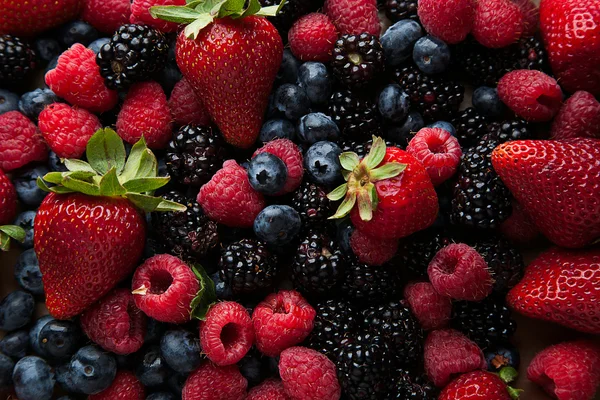
1 2 3 4 5 6 7 8 9 | <div class="card card-md w-88 shadow-sm"> <div class="card-content"> <h2 class="card-title">Image Below Content</h2> <p>Place images after content for reverse visual hierarchy.</p> </div> <figure> <img src="https://cdn.frutjam.com/images/photo-3.jpg?format=webp&width=600&height=400" alt="Footer Image" loading="lazy" /> </figure> </div> |
Pricing Card
Showcase pricing tiers with features and call-to-action buttons.
Startup Plan
- ✓ 25 websites
- ✓ 150 templates
- ✓ Advanced eCommerce
- ✗ Unlimited storage
1 2 3 4 5 6 7 8 9 10 11 12 13 14 15 16 17 18 19 20 21 22 23 24 25 26 27 28 29 30 31 | <div class="card card-lg card-outline"> <div class="card-content gap-4"> <div> <h2 class="card-title">Startup Plan</h2> <div class="flex items-baseline gap-2"> <span class="text-3xl font-bold">$49</span> <span class="text-sm text-on-base/60">/month</span> </div> </div> <div class="divider my-0"></div> <ul class="flex flex-col gap-3"> <li class="flex items-center gap-2"> <span class="badge badge-success badge-sm">✓</span> <span>25 websites</span> </li> <li class="flex items-center gap-2"> <span class="badge badge-success badge-sm">✓</span> <span>150 templates</span> </li> <li class="flex items-center gap-2"> <span class="badge badge-success badge-sm">✓</span> <span>Advanced eCommerce</span> </li> <li class="flex items-center gap-2"> <span class="badge badge-error badge-sm opacity-50">✗</span> <span class="opacity-50">Unlimited storage</span> </li> </ul> <button class="btn btn-primary w-full">Get Started</button> </div> </div> |
Responsive Card Layout
Create flexible card layouts that adapt across different screen sizes.

Responsive Layout
On desktop, image and content display side by side. On mobile, they stack vertically for optimal viewing experience.
1 2 3 4 5 6 7 8 9 10 11 12 13 14 15 16 17 18 | <div class="card card-lg w-160 shadow-sm"> <div class="grid grid-cols-12 gap-0"> <div class="col-span-12 lg:col-span-5"> <figure class="h-64"> <picture> <source media="(max-width: 1024px)" srcset="https://cdn.frutjam.com/images/photo-4.jpg?format=webp&width=640&height=427"> <img src="https://cdn.frutjam.com/images/photo-4.jpg?format=webp&width=600&height=400" alt="Layout Image" class="w-full h-full object-cover" loading="lazy" /> </picture> </figure> </div> <div class="col-span-12 lg:col-span-7"> <div class="card-content"> <h2 class="card-title">Responsive Layout</h2> <p>On desktop, image and content display side by side. On mobile, they stack vertically for optimal viewing experience.</p> </div> </div> </div> </div> |
Combined Variants
Mix and match size, color, and style variants for custom card designs.
Large Primary Outline
Combination of large size, primary color, and outline style.
Small Secondary Dashed
Compact card with dashed border in secondary color.
Extra Large Accent
Prominent card with accent color for feature display.
1 2 3 4 5 6 7 8 9 10 11 12 13 14 15 16 17 18 19 20 | <div class="card card-lg card-primary card-outline"> <div class="card-content"> <h2 class="card-title">Large Primary Outline</h2> <p>Combination of large size, primary color, and outline style.</p> </div> </div> <div class="card card-sm card-dashed card-secondary"> <div class="card-content"> <h2 class="card-title">Small Secondary Dashed</h2> <p>Compact card with dashed border in secondary color.</p> </div> </div> <div class="card card-xl card-accent"> <div class="card-content"> <h2 class="card-title">Extra Large Accent</h2> <p>Prominent card with accent color for feature display.</p> </div> </div> |
Using Claude Code, Cursor, or another AI editor?
Cherry MCP gives your AI editor the exact Card class names and structure on demand. No more hallucinated classes.