Tailwind CSS + HTMX: The Component Library That Does Not Fight Your Stack
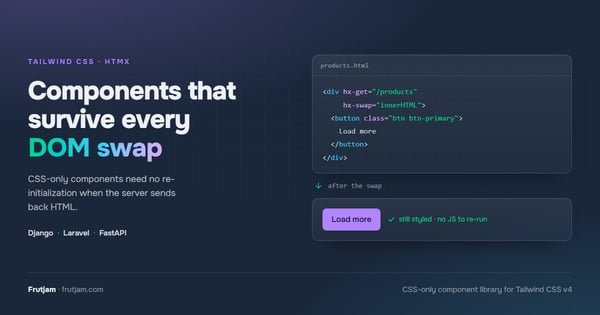
If you are building a server-side application with Django, Laravel, or FastAPI and evaluating front-end component libraries, the pairing of Tailwind CSS and HTMX is one of the most productive stacks available — and the right HTMX Tailwind UI component library makes all the difference. You get server-rendered HTML, hypermedia-driven interactivity, and minimal JavaScript — without a client-side framework.
But the component library you choose matters enormously. Most popular options actively work against what HTMX does best.
Frutjam is a CSS-only Tailwind CSS component library built to complement HTMX naturally. No JS library or plugin means no re-initialization problems when HTMX swaps HTML fragments.
Why JavaScript-Driven UI Libraries Conflict With HTMX
HTMX's core idea is simple: use HTML attributes to add dynamic behavior to elements, letting the server return HTML fragments. It intentionally avoids a JavaScript component model.
That design breaks the moment you add a JavaScript-driven UI library:
Initialization timing. JavaScript UI components register on DOMContentLoaded or similar hooks. When HTMX swaps in new HTML, those hooks do not re-run. You end up writing htmx:afterSwap event listeners just to re-initialize dropdowns or modals — code that fights HTMX rather than working with it.
State conflicts. JavaScript UI libraries maintain internal state. When HTMX replaces a DOM node that a JavaScript library has claimed, you get ghost listeners, duplicated event handlers, or broken components.
Bundle bloat. HTMX itself is around 14 KB (min+gzip). Loading a full JavaScript UI framework on top defeats the performance argument for choosing HTMX in the first place.
The solution is a UI library with no JavaScript to re-initialize — one where every component is pure HTML and CSS.
Why Not Just Use Alpine.js?
Alpine.js is often recommended alongside HTMX for UI behavior. It works well for small amounts of client-side state. But it introduces the same class of problem as a JavaScript UI library:
- Alpine components need to initialize —
x-datablocks set up on page load - HTMX-swapped HTML containing Alpine components needs
Alpine.initTree()called manually - You are now managing two JavaScript libraries (HTMX + Alpine) plus a CSS library
With Frutjam, there is no Alpine.js needed for standard UI components. Accordions, drawers, and tabs are pure CSS. Modals use a single inline onclick="id.showModal()" — native browser JS, not a library, so HTMX swaps never break them. HTMX handles data; Frutjam handles the UI.
Frutjam: Built for HTMX-Powered Apps
Every Frutjam component relies on native browser behavior and CSS. HTMX can swap any fragment containing Frutjam components and they will work correctly — no callbacks, no re-initialization scripts, no edge cases.
Modals via Native <dialog>
Frutjam modals use the native <dialog> element with inline onclick="id.showModal()". Because the trigger is inline HTML — not a JavaScript library initialization — HTMX can swap a fragment containing this button and it works immediately with no callback:
<!-- Server returns this fragment; HTMX swaps it into #modal-container -->
<button class="btn btn-error" onclick="confirmModal.showModal()">Delete</button>

<dialog class="modal modal-center modal-middle" id="confirmModal">
  <div class="modal-content">
    <h2 class="heading-lg">Confirm delete</h2>
    <p class="para">This action cannot be undone.</p>
    <div class="flex gap-2 justify-end mt-4">
      <button class="btn" onclick="confirmModal.close()">Cancel</button>
      <button class="btn btn-error"
        hx-delete="/items/42"
        hx-target="#item-list"
        hx-swap="outerHTML"
        onclick="confirmModal.close()">Delete</button>
    </div>
  </div>
  <button class="modal-backdrop" onclick="confirmModal.close()">Close</button>
</dialog>
No htmx:afterSwap listener. No JavaScript library to reinitialize. The onclick attribute is re-evaluated by the browser on every render, so HTMX swaps just work.
Accordions With Lazy-Loaded Content
<details class="accordion">
  <summary class="accordion-header">Order details</summary>
  <div class="accordion-body"
    hx-get="/orders/42/details"
    hx-trigger="toggle once">
    Loading...
  </div>
</details>
The <details> element holds its open/closed state natively. HTMX lazy-loads content on the first open toggle without any component re-initialization.
Drawers via Checkbox
Frutjam's drawer uses a native checkbox for open/closed state. HTMX can freely swap content inside the drawer without touching the toggle:
<input type="checkbox" id="menu-toggle" class="drawer-toggle">

<div class="drawer-content">
  <label for="menu-toggle" class="btn">Open Menu</label>
</div>

<div class="drawer-side">
  <label for="menu-toggle" aria-label="Close menu" class="drawer-overlay"></label>
  <nav class="menu bg-base-100 min-h-full w-64 p-4">
    <ul hx-get="/nav/items" hx-trigger="load">
      <li>Loading...</li>
    </ul>
  </nav>
</div>
HTMX updates the nav list; the checkbox controls drawer open/close. They never interfere.
Server-Driven Pagination
<div id="results">
  <!-- Content updated by HTMX -->
</div>

<div class="join" hx-target="#results" hx-swap="innerHTML">
  <button class="join-item btn" hx-get="/items?page=1">1</button>
  <button class="join-item btn btn-active" hx-get="/items?page=2">2</button>
  <button class="join-item btn" hx-get="/items?page=3">3</button>
</div>
No JavaScript pagination library. No state management. The server controls the active page; Frutjam handles the visual system.
HTMX-Powered Search with Combobox
Frutjam's combobox pairs naturally with HTMX for server-side filtering. The open/close behavior is CSS-only (focus-within:combobox-open). For live search, hx-get sends the query to the server and HTMX swaps the results — no client-side filtering needed at all:
<div class="relative w-full focus-within:combobox-open" id="user-search">
  <input type="text"
    class="input w-full"
    placeholder="Search users..."
    hx-get="/users/search"
    hx-target="#user-results"
    hx-trigger="input changed delay:200ms"
    name="q">
  <ul class="combobox-list" id="user-results">
    <!-- Server returns <li class="combobox-item"> fragments here -->
  </ul>
</div>
The server returns a list of <li class="combobox-item"> elements. HTMX swaps them in. No client-side filtering script, no component re-initialization. If you want client-side filtering instead — for small static lists — add the built-in helper:
import { createCombobox } from 'frutjam/js'
createCombobox(document.querySelector('#user-search'))
createCombobox adds keyboard navigation (↑ ↓ Enter Escape) and aria-* attributes. The browser has no native combobox element, so unlike the accordion or drawer, filtering logic has to come from somewhere — Frutjam ships it so you do not write it.
Django Tailwind Components
Two CSS imports. That is the entire setup:
/* In your base CSS file */
@import "tailwindcss";
@plugin "frutjam";
Install the npm package alongside Tailwind:
npm install -D frutjam
Every Django template, Jinja2 partial, and DRF HTML response can use Frutjam components immediately. HTMX attributes work on any Frutjam element without additional configuration.
A typical Django + HTMX + Frutjam template looks like this:
<!-- base.html -->
<!DOCTYPE html>
<html data-theme="darkberry">
<head>
  <link rel="stylesheet" href="{% static 'css/app.css' %}">
  <script src="https://unpkg.com/htmx.org@2" defer></script>
</head>
<body>
  {% block content %}{% endblock %}
</body>
</html>
No JavaScript UI framework. No component initialization. HTMX handles behavior; Frutjam handles UI.
Laravel Tailwind Components
The setup in Laravel is identical — Frutjam is framework-agnostic:
/* resources/css/app.css */
@import "tailwindcss";
@plugin "frutjam";
npm install -D frutjam
npm run build
<!-- resources/views/layouts/app.blade.php -->
<html data-theme="darkberry">
<head>
  @vite(['resources/css/app.css'])
  <script src="https://unpkg.com/htmx.org@2" defer></script>
</head>
<body>
  @yield('content')
</body>
</html>
Blade partials returned by HTMX-targeted routes contain Frutjam components that work immediately on insertion — no JavaScript initialization step.
Performance: The Frutjam + HTMX Stack
| Asset | Size (min+gzip) |
|---|---|
| HTMX | ~14 KB |
| Frutjam CSS (JIT, used classes only) | ~12–18 KB |
| UI component JavaScript | 0 KB (core) / ~2 KB optional (combobox helper) |
| Total | ~26–32 KB |
Compare to a React SPA with a JavaScript UI library: typically 150–400 KB before your application code runs. The difference shows directly in Core Web Vitals — First Contentful Paint, Time to Interactive, and Total Blocking Time all improve when there is no script parsing blocking the render path.
The Stack That Does Not Fight You
Tailwind CSS handles the visual system. HTMX handles dynamic behavior without JavaScript components. Frutjam handles the component library. Nothing in the stack conflicts with anything else.
If you are building a Django, Laravel, FastAPI, or any server-rendered application and want UI components that work on first swap without re-initialization, explore Frutjam — the Tailwind CSS component library designed for this stack.
FastAPI + Jinja2 Setup
Frutjam works equally well with FastAPI and Jinja2 templates:
# main.py
from fastapi import FastAPI, Request
from fastapi.templating import Jinja2Templates
from fastapi.staticfiles import StaticFiles

app = FastAPI()
app.mount("/static", StaticFiles(directory="static"), name="static")
templates = Jinja2Templates(directory="templates")

@app.get("/")
async def home(request: Request):
    return templates.TemplateResponse("index.html", {"request": request})
<!-- templates/base.html -->
<!DOCTYPE html>
<html data-theme="darkberry">
<head>
  <link rel="stylesheet" href="/static/css/app.css">
  <script src="https://unpkg.com/htmx.org@2" defer></script>
</head>
<body>
  {% block content %}{% endblock %}
</body>
</html>
The same Frutjam components that work in Django templates work identically here. The library is server-framework agnostic — it only cares about the HTML that reaches the browser.
HTMX Attribute Quick Reference With Frutjam
These HTMX attributes work on any Frutjam element without configuration:
| HTMX attribute | Use case with Frutjam |
|---|---|
hx-get / hx-post | Load content into cards, lists, accordion bodies |
hx-target | Replace a specific element while leaving the surrounding Frutjam layout intact |
hx-swap="outerHTML" | Replace an entire Frutjam card or list item from the server |
hx-trigger="toggle once" | Lazy-load accordion content on first open |
hx-indicator | Show a Frutjam loading spinner while a request is in flight |
hx-boost | Progressive enhancement on links inside Frutjam menus and navbars |
Frequently Asked Questions
Does Frutjam require any JavaScript setup with HTMX?
No external JavaScript setup. Install via npm, add two lines to your CSS. Accordions, drawers, and tabs need no JS at all. Modals use inline onclick="id.showModal()" — plain HTML, so they work on first render and after every HTMX swap without any htmx:afterSwap listener.
What if I need a component that genuinely requires JavaScript?
The combobox is the clearest example: filtering a list as the user types requires JavaScript. Frutjam ships createCombobox from frutjam/js — a built-in helper that handles filtering, keyboard navigation, and aria-* attributes. You do not write it yourself. With HTMX, you can skip client-side filtering entirely and let the server return filtered results. Accordions, drawers, and tabs are pure CSS. Modals use one line of native browser JS (showModal()) with no library or initialization lifecycle.
Can I use Frutjam with htmx.org's hx-boost?
Yes. hx-boost replaces page navigation with HTMX partial swaps. Frutjam components in the swapped content work correctly because there is nothing to re-initialize — the CSS is already loaded globally.
Does Frutjam work with Django REST Framework (DRF)?
Yes. DRF's TemplateHTMLRenderer returns full HTML responses. Frutjam components in those templates work identically to any other Django template.